Scoped tokens, not shared passwords
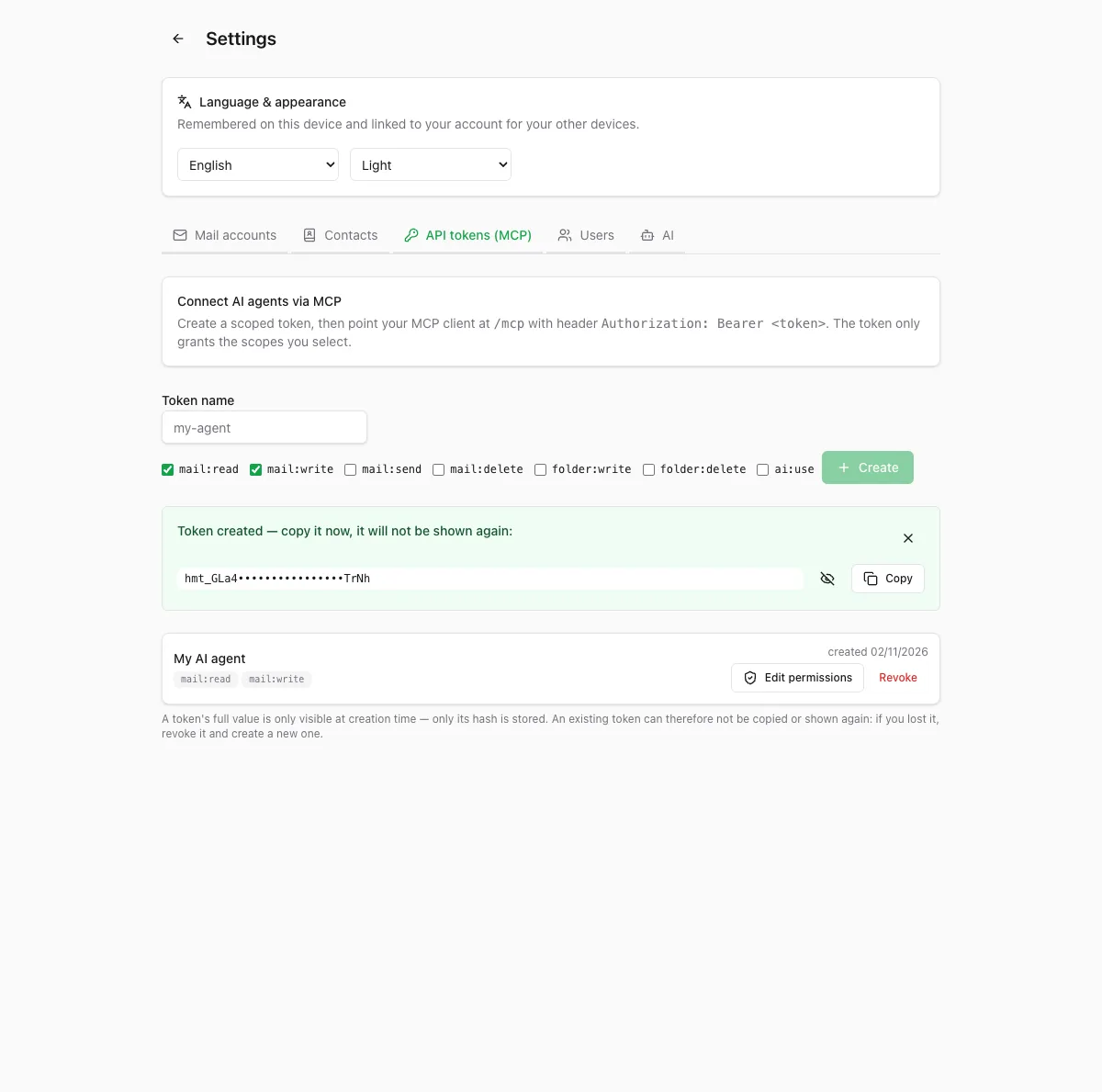
Create an API token, pick its scopes, hand it to your agent. Tokens start with hmt_ and only a SHA-256 hash is ever stored — the full value is shown once at creation.
Open source · Self-hosted · MCP native
HermodMail is a real IMAP/SMTP webmail with a native MCP server. Your agents read, draft and act inside your mailbox through scoped tokens — while you keep control of every folder, every permission and every send.
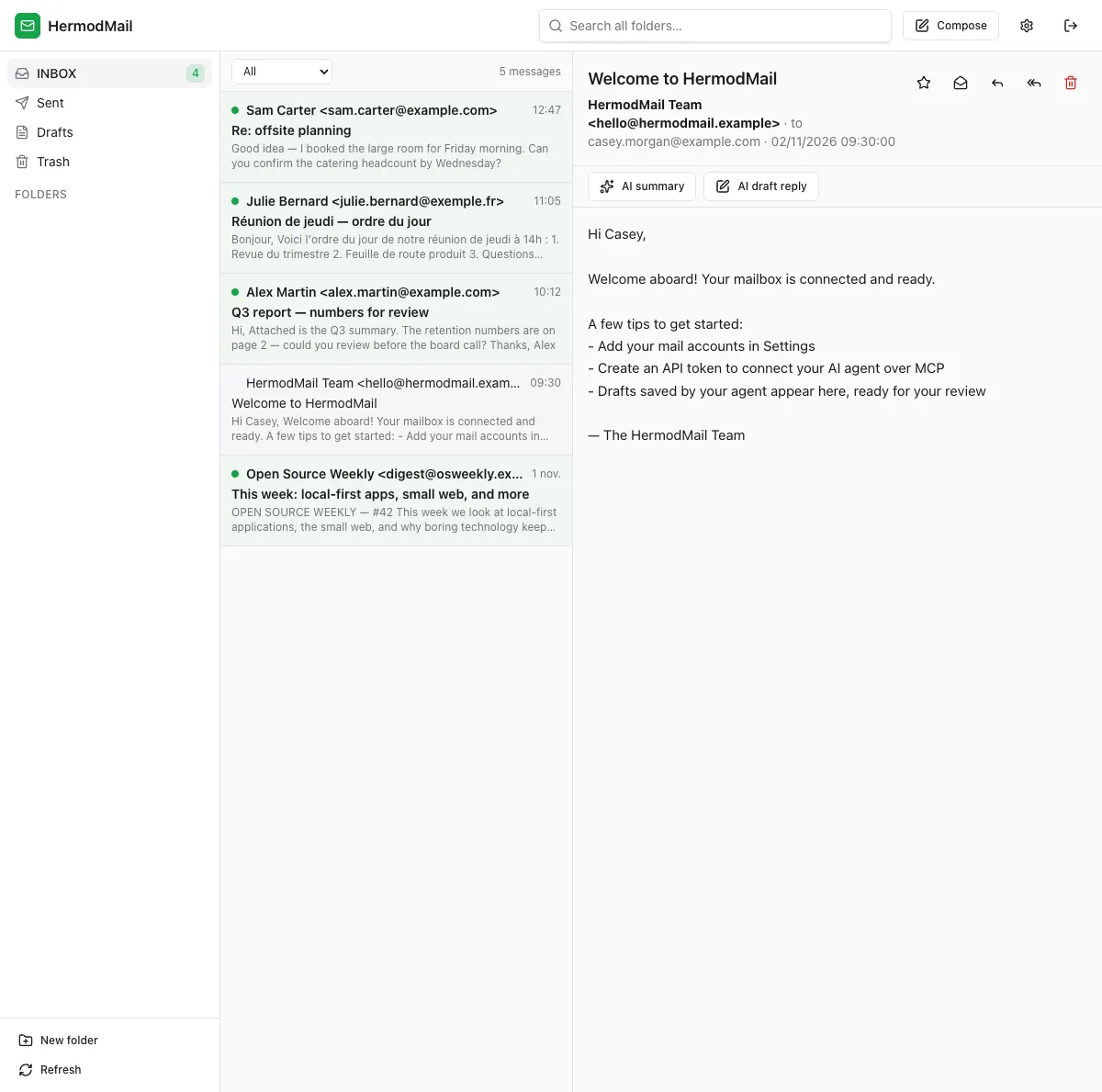
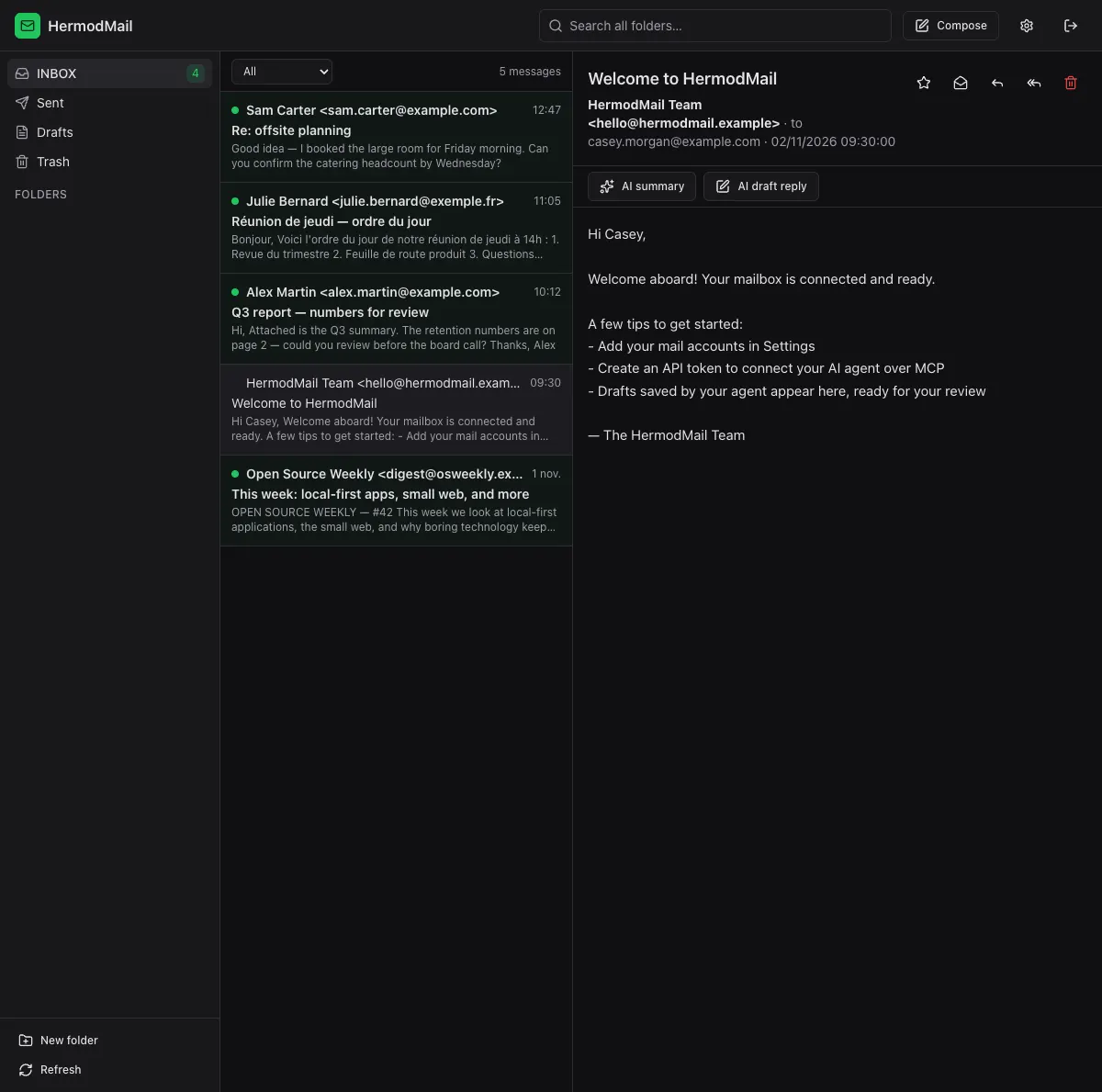
The actual HermodMail interface — IMAP folders, live search, reading pane and AI actions when a provider is configured.
The problem
Connecting an AI agent to a mailbox usually means sharing your credentials, wiring brittle scripts together and hoping nothing goes wrong. HermodMail starts from a different principle:
One mailbox. One shared engine. Human and agent access with controlled permissions.
Create an API token, pick its scopes, hand it to your agent. Tokens start with hmt_ and only a SHA-256 hash is ever stored — the full value is shown once at creation.
Scopes are re-read from the database on each tool call. Tighten or revoke a token and it applies to sessions that are already open.
Agents save genuine IMAP drafts — flagged \Draft, visible in the Drafts folder — instead of pasting text through a separate chat window.
How it works
A typical collaboration: you brief your agent, it prepares real drafts in your mailbox, and you review and send when you are ready.
"Prepare follow-up drafts for the accounts I met last week." Any MCP client works — the agent connects with its token.
With mail:write and ai:use, it searches your mailbox, composes and saves real IMAP drafts. Nothing is sent.
Open the Drafts folder in HermodMail. Each draft is a real message you can read, edit and complete — with the recipient picker, attachments and your signature habits.
Review, tweak, send. A token without mail:send cannot send a single message — the sending decision stays with you.
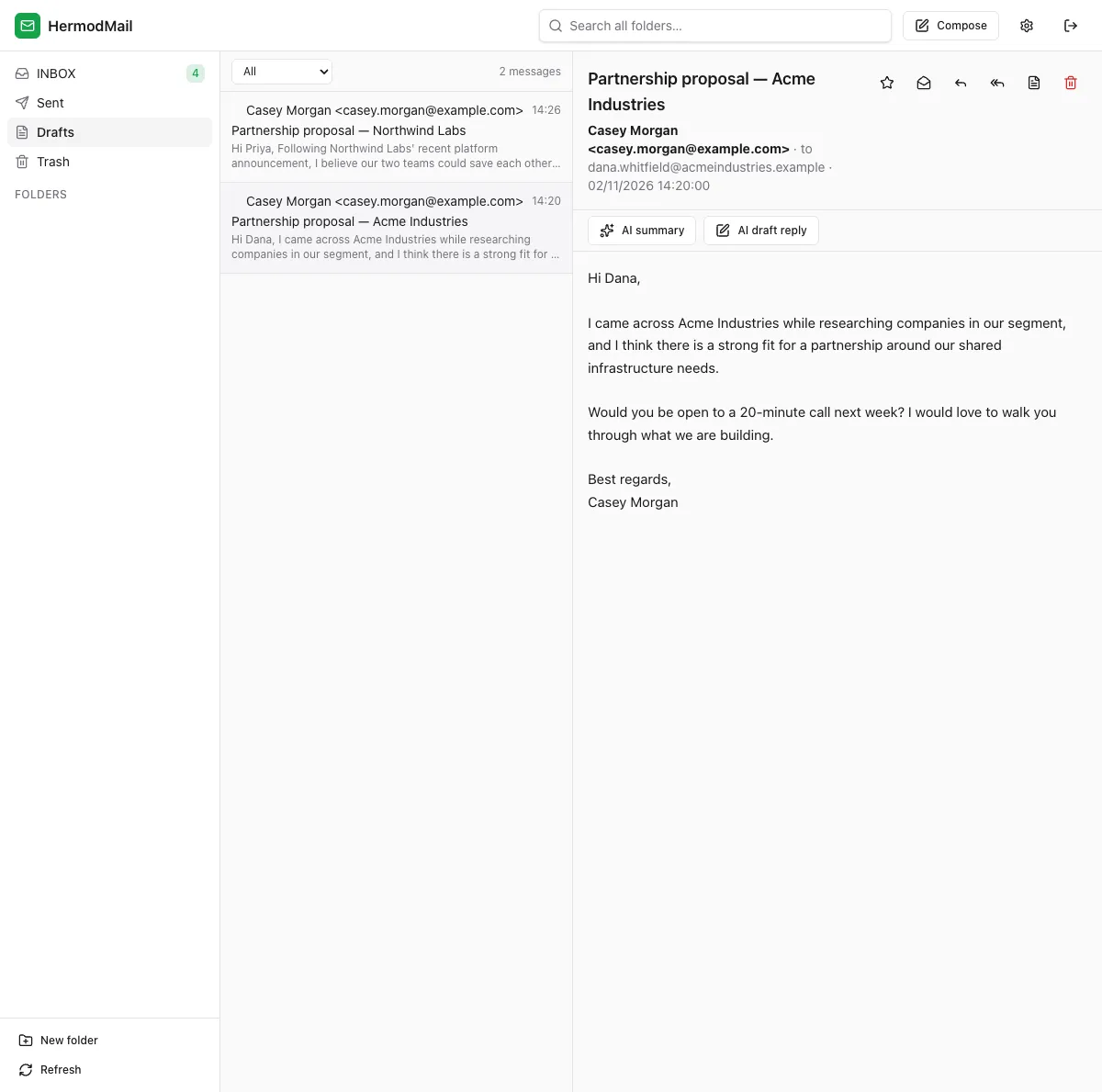
The agent did the work. The human kept the decision.
A real webmail, first
HermodMail is a complete webmail you can use every day. AI is an optional layer, never a requirement.
Standard mail protocols — works with existing accounts.
Create, rename and manage mailboxes with system-folder guardrails.
Fast SQLite full-text search across subject, people and body.
Automatically harvested from your mail, with recipient autocomplete.
Real IMAP drafts, saved and editable from any client.
Attach files when composing, download them when reading.
A fully translated interface in three languages.
Auto, light or dark — it follows your system preference.
Per-user mailboxes and isolation, managed by an admin.
Export any message to clean Markdown.
Folders, list and reading pane — with AI summary and AI draft reply one click away.
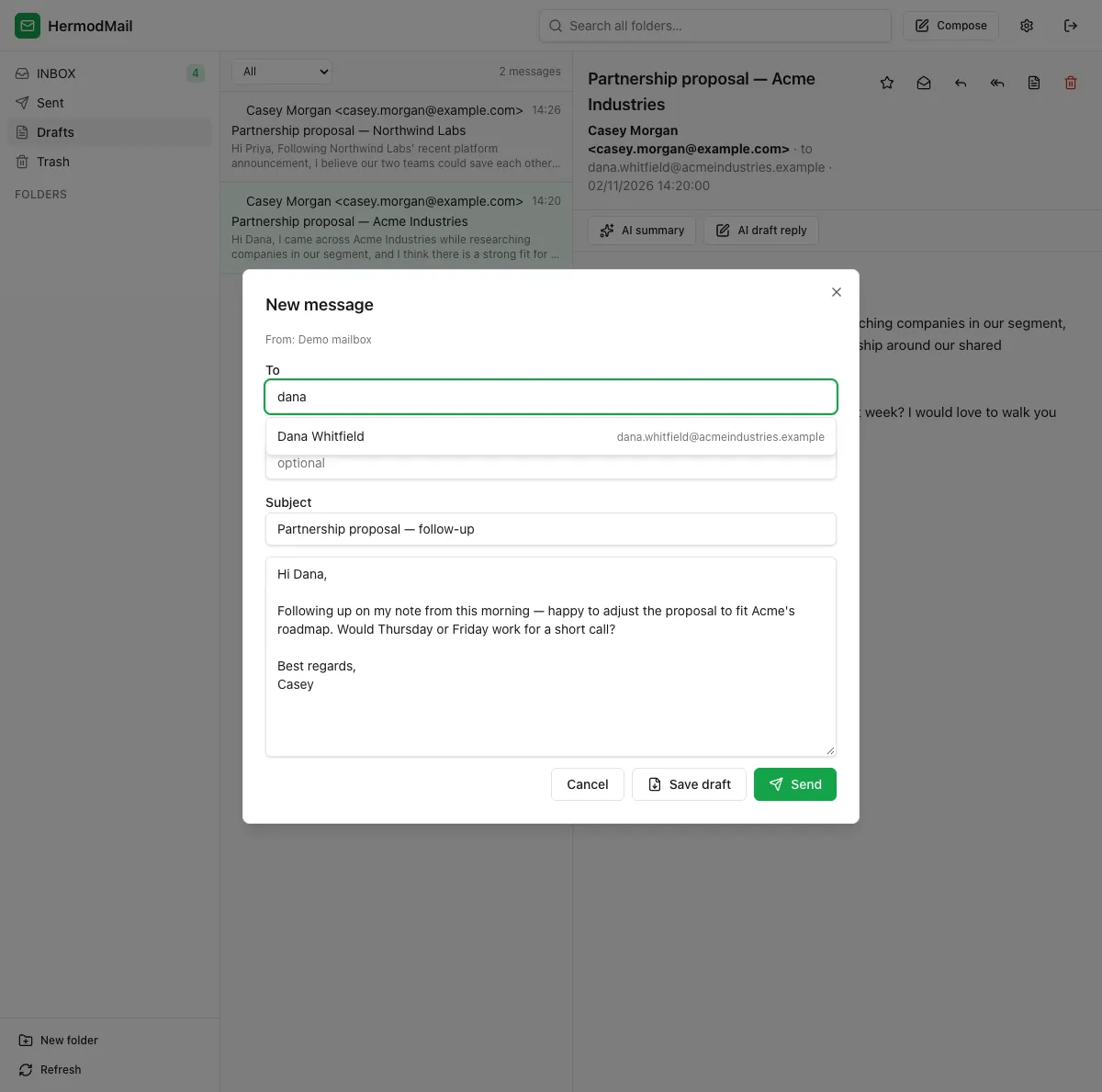
Composition with recipient autocomplete and save-as-draft.
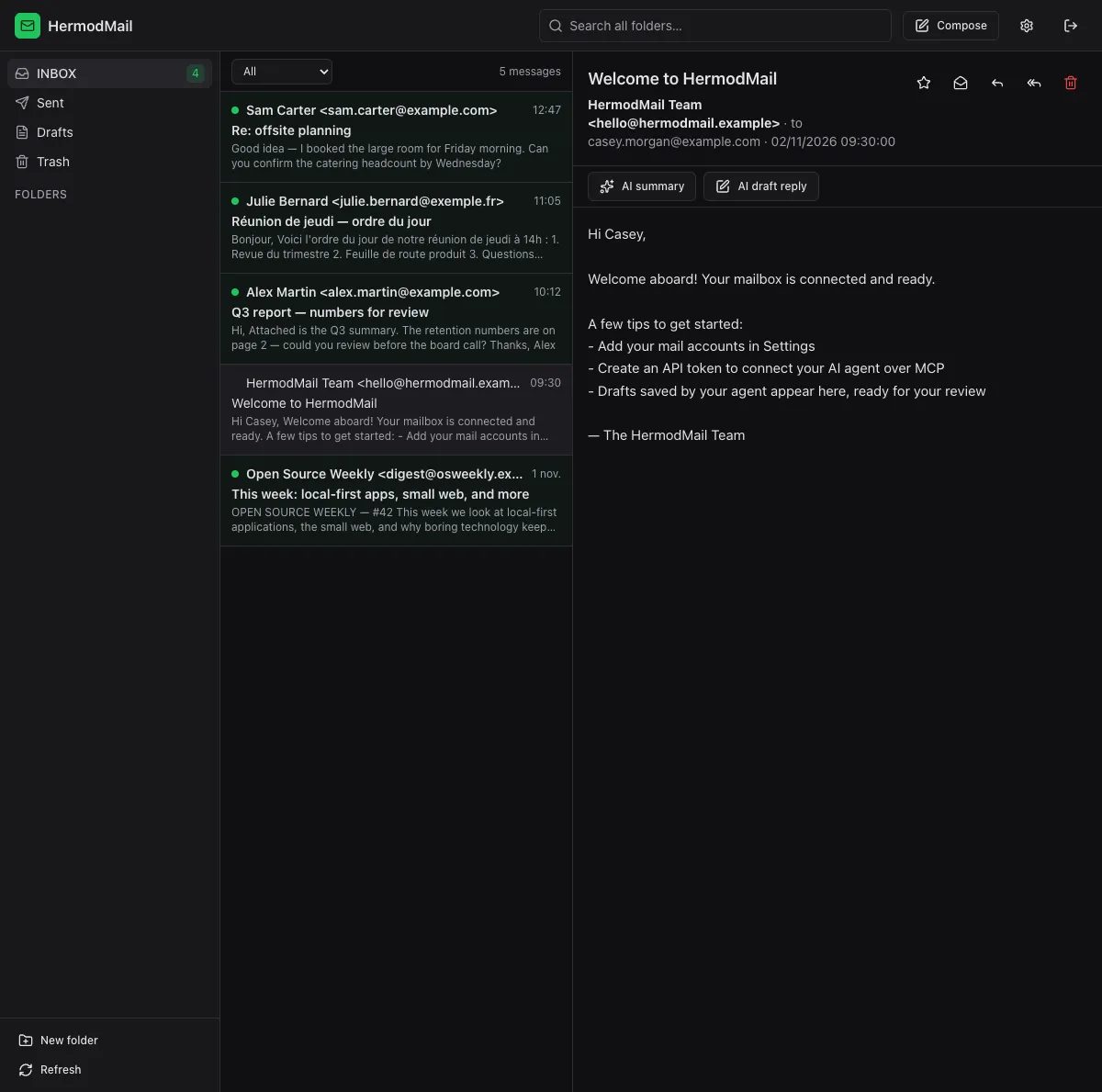
The same interface, comfortable at night.
Native MCP
The web interface and MCP agents do not go through different code paths: both speak to the same mail engine, which enforces the same ownership and permission rules for a browser session and a Bearer token alike.
Point any MCP-compatible client at /mcp with an Authorization: Bearer header. Here is the full surface, grouped by the scope it requires:
get_message never returns raw HTML — agents receive sanitized content. delete_folder requires an explicit confirm flag for non-empty folders.
Permissions
Every token carries a precise set of scopes. The engine checks them on each call — and a few rules hold no matter what.
mail:read List, sync, read, search messages, export Markdown, download attachments.
mail:write Save drafts, change flags, move messages between folders.
mail:send Send messages over SMTP. Grant this one deliberately.
mail:delete Delete messages, with Trash-aware behaviour.
folder:write Create and rename folders.
folder:delete Delete folders — guarded for system folders and non-empty mailboxes.
ai:use Use the built-in AI features: summarize, classify, draft reply, translate.
Only a SHA-256 hash of the token is stored. If it leaks, revoke it — nothing to decrypt.
Change a token's scopes at any time; the new set applies on the next call, even in open sessions.
Revoke instantly from Settings → API tokens. The token stops working immediately.
API tokens can never add or remove mail accounts. A leaked read-only agent token cannot enroll new mailboxes.
Honest by design: an agent holding mail:send can send on its own. HermodMail does not force human approval on every message — it gives you the tools to decide exactly who may send.
Bring your own model
The webmail is fully functional with AI turned off — that is the default. When you want built-in assistance, plug in the provider you already trust:
Email content is untrusted by definition: text fed to the model is fenced as data and the system prompt forbids treating it as instructions.
For developers
A single Node server with a SQLite database, or a container. No external services required.
git clone https://github.com/cyril-belin/HermodMail.git
cd HermodMail
cp .env.example .env
# Set HERMODMAIL_SECRET (openssl rand -base64 48) in .env
docker compose up -d
# or: podman-compose up -d
HermodMail listens on http://localhost:8667 and stores everything in the hermodmail-data volume.
git clone https://github.com/cyril-belin/HermodMail.git
cd HermodMail
npm install

# Requires Node >= 22 — dev servers:
npm run dev        # API on :8667 · web on :5667 (proxies /api and /mcp)
npm run dev:web

# or for production:
npm run build
PORT=8667 HOST=0.0.0.0 HERMODMAIL_WEB_DIST=apps/web/dist node apps/server/dist/index.js
The first visit creates your admin account.
{
  "mcpServers": {
    "hermodmail": {
      "type": "http",
      "url": "http://localhost:8667/mcp",
      "headers": { "Authorization": "Bearer hmt_..." }
    }
  }
}Set a strong HERMODMAIL_SECRET, serve the app behind TLS (the README includes a ready-to-copy Caddy reverse-proxy configuration) and read the security notes before exposing anything to the internet.
Full documentation in the READMEOpen source, by design
HermodMail is free software under AGPL-3.0-or-later. Read the engine, audit the crypto, run the test suite — and change what does not suit you.
The full license text ships with the repository.
A core engine, thin HTTP and MCP adapters, a Vue 3 front-end. Nothing hidden.
Unit and property-based tests cover the engine, auth, crypto and MCP surface.
HermodMail is a young project (v0.1.0) under active development — tested with real mailboxes, built to grow in the open.
One mailbox, one engine, controlled permissions — and a home for both the people and the machines that work there.
Star HermodMail on GitHub